

This page brings together practical tips, training opportunities, and trusted resources to help students, faculty, and staff recognize cyber risks, build safer online habits, and support the Information Technology team’s ongoing efforts to safeguard personal and critical business information.
Cyber resilience does not require a computer science degree. Research by the Cybersecurity and Infrastructure Security Agency (CISA) confirms that practicing these four actions neutralizes over nine out of ten common digital attacks.
4 Foundational Behaviors
Consistent, everyday actions defend personal accounts, academic records, and campus networks.
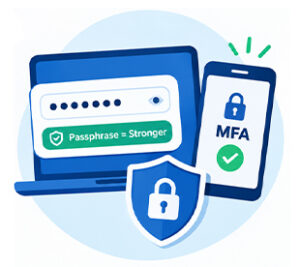
Habit 1: Strong Passwords or Passphrases + MFA |
|
Habit 2: Deploy Trusted Security Tools |
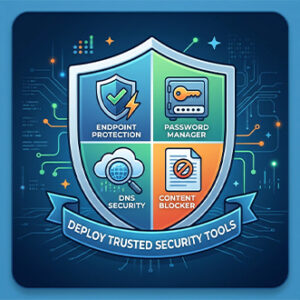
Proactive layers to block malware, scams, and malvertising Do not rely solely on default operating system settings. Equip your personal laptops and mobile devices with reputable, privacy-respecting security tools that intercept threats before they reach your browser:
|
Habit 3: Recognize & Report Phishing |
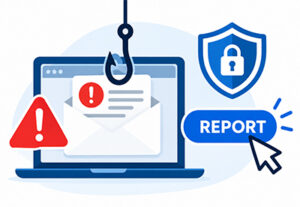
Pause, inspect the sender, and never act under artificial urgency Phishing has evolved beyond obvious spam. Attackers now leverage generative AI to write flawless prose, spoof executive identities, replicate corporate portals, and execute targeted spear-phishing over email, SMS (smishing), and voice calls (vishing).
|
Habit 4: Update Software & Firmware Promptly |
Proactive layers to block malware, scams, and malvertising Close security holes before attackers can exploit known vulnerabilities Software updates do not just deliver interface changes; they deliver critical security patches that seal known vulnerabilities (CVEs) that cybercriminals scan for continuously. Automated updates eliminate the window of exposure.
|

Niagara College Cyber Hygiene
Core practices for accounts, Passkeys, artificial intelligence safety, and device protection.
Passkeys: Phishing-Resistant Authentication
Passkeys replace traditional passwords with cryptographic keypairs tied to your device’s biometrics (Face ID, Touch ID, or Windows Hello). Your private key never leaves your device’s secure enclave, eliminating password theft and credential leaks by design.
- Traditional Passwords: Stored on company servers. If a server database is compromised, passwords can be stolen and credential-stuffed across other account
- FIDO2 Passkeys: The server only holds a public key. Even if the service is breached, public keys cannot be used by attackers to authenticate.
Account & Password Security
- Never reuse passwords: A compromise on an external service can expose your Niagara College access.
- Deploy a Password Vault: Use a vetted manager like Bitwarden or 1Password to maintain high-entropy, unique credentials.
- Protect Single Sign-on: Never approve spontaneous Microsoft Authenticator push alerts if you did not initiate the login.
AI Safety & Digital Footprint
- Safeguard Confidential Data: Never paste student records, proprietary Niagara College files, or credentials in to public generative AI tools.
- Voice Cloning & Deepfakes: Attackers can clone leadership or faculty voices; verify financial or sensitive requests through direct internal extensions.
- Inspect AI Phishing: Modern spear-phishing messages are free of grammatical errors; evaluate the intent, sender domain, and urgency instead.
Device & Network Hygiene
- Avoid Untrusted Wi-Fi: Never access sensitive college databases on public networks without utilizing the Niagara College VPN.
- Auto-Lock Screens: Set laptops and mobile devices to automatically lock after 2–5 minutes of inactivity.
- Travel Precautions: Disable Bluetooth and automatic Wi-Fi joining when commuting or traveling, and never leave devices unattended.
Niagara College Phish Bowl
Real-world phishing messages reported by Niagara College students, faculty, and staff.
Account Suspension
“Your email will be deactivated within 12 hours. Click here to retain active access.”
Tactic: False urgency paired with deceptive links to harvest single sign-on credentials.
Fake Overdue Invoice
“Invoice #NC-9821 is overdue. See attached PDF for wire payment details.”
Tactic: Urgent financial pressure accompanied by malicious attachments or fraudulent payment routing.
Password Expiration
“Your Niagara College password expires today. Reset now to prevent immediate lockout.”
Tactic: Impersonates ITS Service Desk to trick users into submitting credentials and MFA codes on lookalike portals.
Gift Card Scam
“Are you on campus? Can you grab some Apple gift cards for a department meeting right away?”
Tactic: Impersonates executive deans or faculty via free external webmail (e.g., Gmail) requesting urgent favors.
Student Job / Internship Offer
“Earn $350/week doing remote administrative tasks. Send personal details & banking info.”
Tactic: targets students with unrealistic compensation to extract SIN, banking data, or advance-fee scams.
Suspicious Login Alert
“Unrecognized sign-in detected from Toronto. If this was not you, verify identity immediately.”
Tactic: Panic-inducing fake alerts sent from compromised student or staff accounts to harvest secondary tokens.
How to Identify a Phishing Email (ITS Checklist)
Check the Sender Address: Verify the actual email domain, not just the display name. Look for slight alterations.
Look for Generic Greetings: Impersonal salutations like “Dear User” or “Dear Student” are common warning signs.
Beware Urgent Language: Demands for immediate action within hours are engineered to bypass critical thinking.
Inspect Destination Links: Hover over links to preview destination URLs before clicking. Never open unexpected attachments.
Watch for Sensitive Requests: Niagara College ITS will never ask you to send passwords, bank details, or gift cards over email.
Review Email Origin: Emails flagged as originating from external sources require extra verification before responding.

Resources and Support Services
Official Niagara College support channels, training portals, and contact info.
ITS Security Office & Service Desk
Responsible for incident response, security policies, and technical support across Niagara College.
Security Office: [email protected]
Service Desk: [email protected]
Phone: 905-735-2211 ext. 7642
Awareness Modules & National Portals
Build your digital defense knowledge through interactive training modules and federal safety guidance.
CyberAware Platform: Complete optional training modules via myNC portal.
Get Cyber Safe: Government of Canada Campaign
IT Information Security Policies: Review institutional guidelines on acceptable use.
Cybersecurity Graduate Certificate (P0456) |
|
Niagara College offers a 1-year graduate certificate program designed to build practical and theoretical skills in defending networks, mitigating cyber threats, and safeguarding digital systems and critical data. Learn More & Apply |